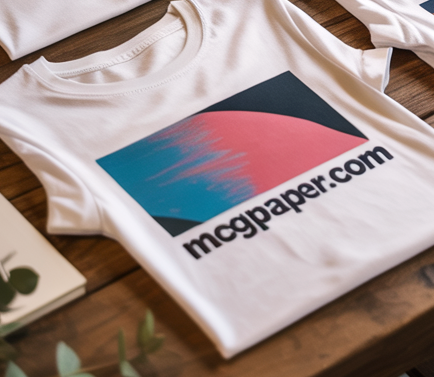

Create vibrant, full-size transfers without limitations. This large-format iron-on paper is designed for oversized graphics on white and light-colored fabrics. Ideal for larger apparel, custom tote bags, and fabric décor, it allows you to print edge-to-edge designs that a standard 8.5" x 11" sheet simply can't handle.
11" x 17" Tabloid Light Fabric Transfer Paper – 10 Sheet Pack
Take your custom apparel to the next level with pro-sized transfers. Engineered for inkjet printers, these 11" x 17" sheets are perfect for white or light-colored fabrics with at least 50% cotton content. The advanced cold-peel coating ensures high-resolution results with a soft, flexible finish that resists cracking and holds vibrant color through repeated washes.
Oversized Creative Potential
Don't let standard paper sizes limit your brand. This large-format media is a favorite for:
- Full-Graphic Tees: Oversized chest designs, back-prints, and wrap-around graphics for t-shirts and sweatshirts.
- Home Décor: Large-scale pillowcases, custom tablecloths, fabric banners, and personalized tote bags.
- Business Growth: Professional-grade merchandise for Etsy shops, craft fairs, and boutique brands.
- Event Gear: Coordinated group shirts, napkins, and placemats for weddings or parties.
⚠️ Important Printer & Fabric Note:
Inkjet Only: Do not use with laser printers or printers with internal heating elements, as they may damage the transfer layer. This paper is strictly for white or very light fabrics.
Mirror Mode: Always remember to "Flip" or "Mirror" your design in your software before printing so that text reads correctly after transfer.
Six Simple Steps to Success
- Design: Create your oversized art in your favorite graphics software.
- Print: Print in Mirror Mode onto the matte side of the transfer paper.
- Trim: Cut away any unprinted areas to ensure the cleanest finish on your fabric.
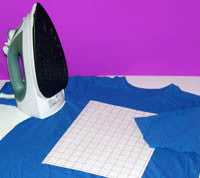
- Heat: Apply with a household iron (no steam) or a heat press using firm, even pressure.
- Cool: Let the fabric cool completely (Cold Peel) for the most durable bond.
- Reveal: Remove the backer sheet to reveal your vibrant, full-color masterpiece!
Frequently Asked Questions
Can I use this on dark shirts?
No. This paper is transparent; it relies on the light fabric background for color visibility. For dark shirts, use our specialized Dark Fabric Transfer sheets.
Is a regular iron enough for 11" x 17" transfers?
Yes, but because the sheet is large, move the iron slowly and apply consistent, heavy pressure to every square inch. A heat press is faster for high volumes.
How should I wash the finished item?
Wait 24 hours, then wash inside out in cold water. Avoid bleach to maintain the high-definition color.
You might also like