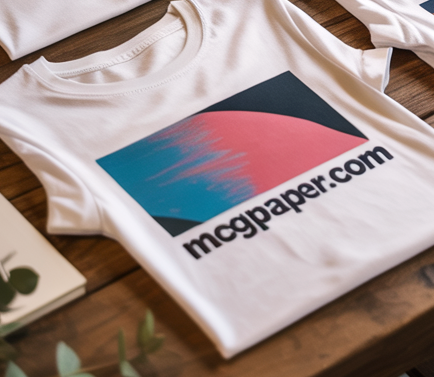

Turn any white or light-colored garment into a custom masterpiece. Our Light Fabric Transfer Paper is engineered for high-vibrancy color and long-lasting durability. Whether you're creating personalized wedding napkins, branded tote bags, or custom photo tees, these iron-on sheets allow you to transfer professional-grade graphics using nothing more than your home inkjet printer and a standard household iron.
Inkjet Light Fabric Transfer Paper – White & Light Garment Iron-On Sheets
Achieve soft-hand, stretchable results that won't crack or peel. Designed specifically for 100% cotton and cotton-poly blends, these sheets feature a specialized coating that locks in inkjet ink and bonds it permanently to the fabric fibers. Once applied, your designs are fully waterproof and machine-washable, making them perfect for wearable keepsakes and gift items.
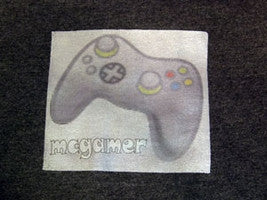
Optimized for high-resolution digital photos, sharp logos, and intricate custom text with full color saturation.
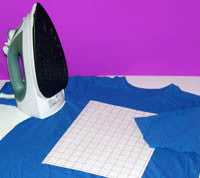
While heat press compatible, these sheets are specifically formulated to work with a standard home iron (no steam).
🛠️ Quick-Start Application Guide
Success starts with the right setup. Follow these key steps for a permanent bond:
- Mirror Printing: ⚠️ Always print your design in Mirror Image mode so it appears correctly once transferred.
- Prep: Trim the transfer to your desired shape to remove excess unprinted film.
- Press: Place face-down on the fabric and apply firm, even pressure on a heat-safe surface.
- Peel: Allow the transfer to cool completely for a "Cold Peel" finish that ensures the graphic is fully set.

Technical Specifications
- Sheet Size: 8.5" x 11" (Letter Size)
- Weight: 65 lb. Coated Transfer Stock
- Fabric Compatibility: White, Ivory, and Light-Colored 100% Cotton or 50/50 Blends
- Printer Type: Inkjet Only (Dye or Pigment based)
- Washability: Machine Wash Cold (Turn garment inside out)
You might also like